
Settings
The settings page centralizes appearance, editing behavior, view preferences, images, language, shortcuts, subscription, AI assistant, MCP, experimental options, and version information. Recent additions include the card-based theme picker, toolbar layout editor, local subscription with a 7-day trial, version snapshot retention, and a DevTools access switch that is only shown in dev builds.
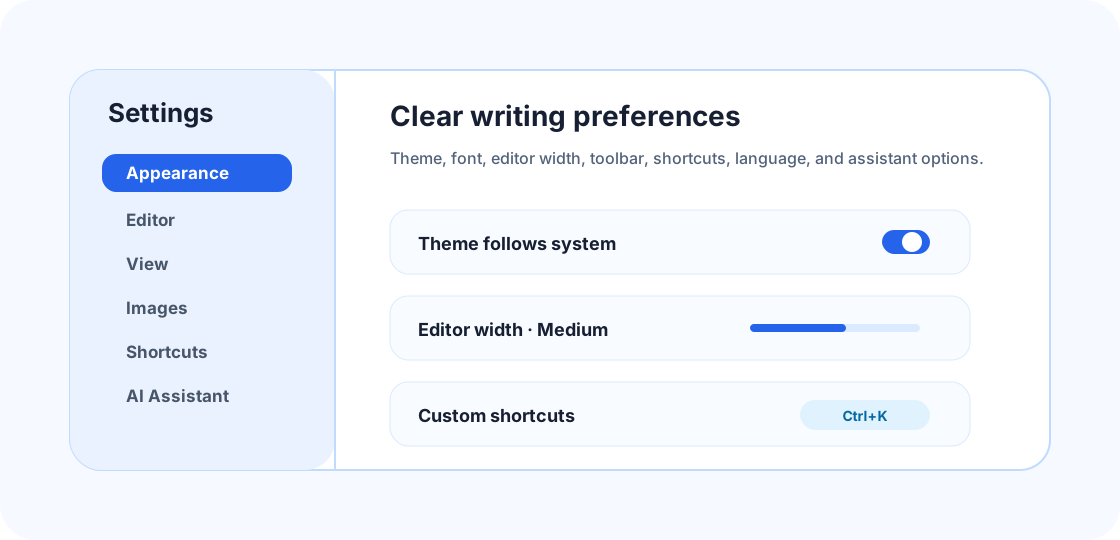
Settings sections
| Section | Controls | Best for |
|---|---|---|
| Appearance | Light / dark / system switch, current-tone theme cards, font, font size, line height, radius, toolbar layout | Comfortable writing plus personalized button access |
| Editor | Default editor mode, markers, auto bracket, spell check | Daily typing behavior |
| View | Editor width, minimap, focus mode, toolbar position | Long documents, wide screens, or compact screens |
| Behavior | Auto save, close-window action, version snapshot retention | Avoiding accidental close, data loss, or too many snapshots |
| Images | Image save, upload, or asset handling options | Consistent Markdown image management |
| Sync | WebDAV auto push | Push the current document after a successful local save |
| Language | Chinese / English | Switching UI language |
| Shortcuts | App and editor shortcuts | Building personal high-frequency actions |
| Subscription | 7-day trial on this device, subscription status, monthly / quarterly / yearly / lifetime plans | Review local access status or activate a plan |
| AI Assistant | Local or OpenAI-compatible API settings | Continue, polish, summarize, translate |
| MCP | Markdown MCP service, allowed folders, and execution permissions for external agents | Let external agents read, search, or organize Markdown files within permissions |
| Experimental | Mermaid, Vim, and other enhancements | Optional capabilities without affecting basic writing |
| About | Version, update channel, dev-build debug entry | Checking updates, versions, or dev-build debugging status |
Key settings
| Setting | How to think about it |
|---|---|
| Theme cards | In Appearance, choose Light, Dark, or System first, then pick a palette card from the currently active tone group. |
| Toolbar layout | In Appearance, drag buttons, hide low-frequency entries, move separators, or place buttons into groups. |
| Subscription and trial | In Subscription, review the 7-day trial remaining on this device or activate monthly, quarterly, yearly, or lifetime plans. |
| Version snapshot retention | In Behavior, choose 10, 25, 50, or 100 local snapshots per file. |
| Spell check | In Editor, enable the toolbar spell-check button and local writing-quality panel. |
| WebDAV auto sync | In Sync, fill in the service URL, remote folder, and credentials. The current document is pushed only after a successful local save. |
| DevTools access | Only dev builds show this under “About → Debug”; production builds do not expose the browser context menu, F12, or Open DevTools entry by default. |
Theme and toolbar
The Appearance section no longer puts every theme into one dropdown. Choose Light, Dark, or System at the top, then pick from the palette cards that match the currently active tone. Each card includes preview swatches and a current-state badge, so comparing light or dark palettes is faster.
Toolbar layout is still maintained in Appearance. You can reorder buttons, hide low-frequency actions, add separators, or place buttons into Format, Block, Insert, or Utility groups. The top-bar New menu and main menu now switch to a close icon while open; clicking again collapses the menu.
Subscription and trial
The Subscription section shows local access status on the current device: a newly installed device starts with a 7-day trial; after the trial, you can activate monthly, quarterly, yearly, or lifetime plans. The yearly plan is marked as recommended, and the lifetime plan displays long-term access after activation.
Local subscription note
The current subscription state is stored in local app settings and is used for local access-state UI and entry points. Payment, account binding, server validation, and tamper resistance are not connected yet. Deleting or changing local settings may change the trial or subscription state on this device.
Dev-build debug entry
Dev builds show “Allow browser context menu and debug shortcuts” under “About → Debug”. Browser native context menus, F12 / Ctrl+Shift+I shortcuts, and the “Open DevTools” button only work after that switch is enabled. Production builds do not show the switch and do not expose those debug entries by default; FkeMark’s own Markdown image and table context menus are not affected.
MCP
MCP is a settings section separate from AI Assistant. When enabled, MCP-capable external agents can call FkeMark Markdown file tools through the stdio MCP Server. The service only handles .md / .markdown files inside allowed folders; permission mode, allowed folders, and system file permissions all apply.
External agent configuration
Users who install the desktop app do not have the repository-local scripts/fkemark-mcp-server.cjs file, so the recommended entry point is the standalone npm CLI package. This option requires Node.js 18+ with npm/npx on the machine. First enable external agent access in Settings > MCP and fill in the allowed Markdown folders. Then add a similar configuration to your external agent MCP config:
{
  "mcpServers": {
    "fkemark": {
      "command": "npx",
      "args": ["-y", "fkemark-mcp-server"],
      "env": {
        "FKEMARK_MCP_ENABLED": "1",
        "FKEMARK_MCP_ROOTS": "D:/Notes",
        "FKEMARK_MCP_PERMISSION": "data-read-write"
      }
    }
  }
}You can also install it globally and set the external agent command to fkemark-mcp-server:
npm install -g fkemark-mcp-server
fkemark-mcp-serverFor local repository development, this script still works:
npm run mcp:stdioIf you need to run the service temporarily without an app settings file, also set FKEMARK_MCP_ENABLED=1. The current MCP service exposes these Markdown tools: list_markdown_files, read_markdown, search_markdown, get_markdown_outline, write_markdown, append_markdown, and delete_markdown.
Execution permissions
| Mode | Best for | Allows | Blocks |
|---|---|---|---|
| Read only | Reference lookup, summaries, folder indexes | List, read, and search Markdown files; extract heading outlines | Creating, replacing, appending, or deleting Markdown files |
| Markdown read/write (recommended) | Daily writing, reference organization, new notes, draft updates | Read-only capabilities plus creating, replacing, and appending Markdown files | File deletion, bulk cleanup, and high-risk maintenance actions |
| Full access | Local sandboxes, temporary batch organization, migration cleanup | Read-only capabilities, write capabilities, and deleting Markdown files | Only allowed folders and system file permissions |
Configuration examples
- Knowledge-base lookup: choose Read only, point allowed folders at the knowledge-base root, and expose only read, search, and outline tools. This fits summaries or indexes generated by external agents.
- Daily writing organization: choose Markdown read/write (recommended) to create new notes, update drafts, and append content while blocking deletes and high-risk cleanup; use version snapshots or Git when possible.
- Local sandbox maintenance: choose Full access only for short sessions in backed-up or temporary folders, such as deleting test notes or migration cleanup. Switch back to Markdown read/write or Read only afterward.
Suggested setups
Long-form writing
- Editor width: medium or wide.
- Focus mode: on.
- Minimap: on for long notes or code-heavy files.
- Diff navigation: use Previous / Next diff when comparing snapshots.
- Version snapshot retention: 50 is a balanced default; use 100 for frequently edited long documents.
- Auto save: on.
Project documentation
- Default mode: Live.
- Show Markdown markers: on, so syntax stays visible.
- Toolbar: fixed at top or close to the editor.
- Shortcuts: keep save, find, link, and headings easy to reach.
Presentation and review
- Use Read mode to review the final result.
- Before presentation mode, split slides with standalone
---lines. - Keep spell check enabled for mixed Chinese/English writing.
FAQ
Do settings change Markdown file content?
No. Most settings only change display and editing behavior inside FkeMark.
What if I set a wrong shortcut?
Use the reset button for one shortcut, or reset all shortcuts to defaults.
Is AI assistant required?
No. AI assistant is disabled by default and does not affect the local Markdown editing flow.